
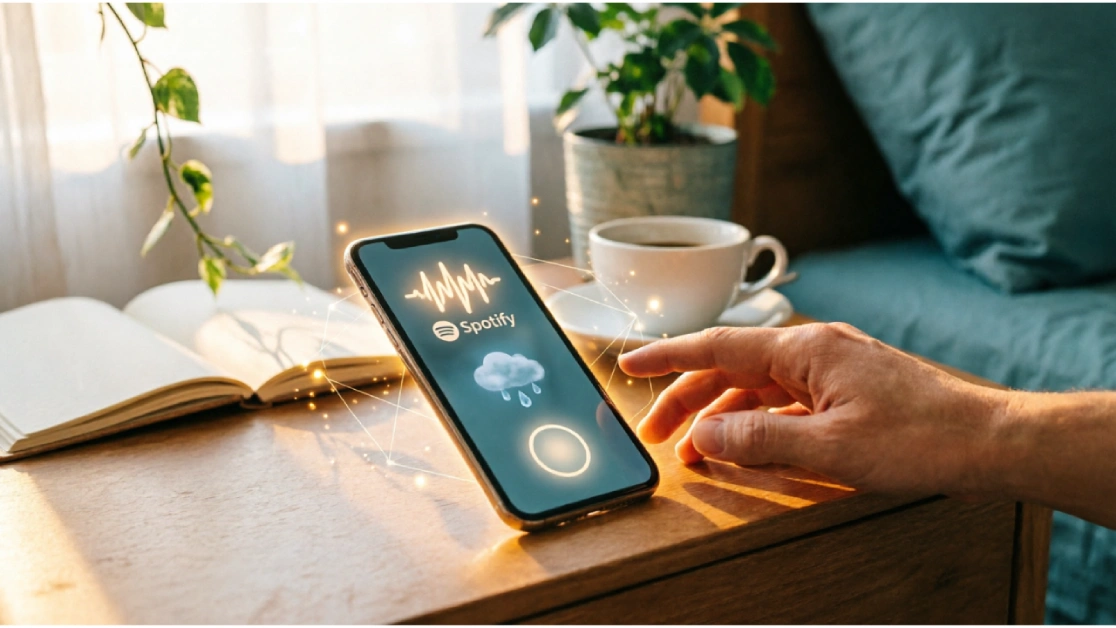
How AI and New Technology Are Changing Daily Life: You’re Already Using AI. You Just Don’t Know It Yet. It’s 7:14 AM. Your alarm goes off.
You pick up your phone. Spotify is already queued with something calm — it learned your morning mood weeks ago. You check Gmail. Three emails are pre-drafted as replies, waiting for your approval. You ask your phone for today’s weather. It already knows you have an outdoor meeting at 11 AM and flagged a rain warning.
You haven’t consciously used a single “AI tool.” But AI has already shaped the first ten minutes of your day.
This is 2026. AI isn’t some far-off promise or Silicon Valley experiment. It’s buried inside the apps you already use — deciding what you see, what you hear, what you buy, and how you work. Most people don’t notice it. Some are quietly benefiting from it. A few are actively using it to get hours back in their week.
This article is for the person who wants to understand what’s actually happening — and do something about it.
What Changed: Why 2026 Is Different From Even Two Years Ago
Three years ago, AI felt like a novelty. ChatGPT was impressive but clunky. AI writing tools produced awkward text that sounded robotic. Most automation required technical knowledge to set up.
That’s changed — and faster than most people expected.
Here’s what actually shifted:
AI got embedded, not standalone. Instead of requiring a separate app, AI is now built directly into Microsoft Word, Google Docs, Gmail, WhatsApp, and hundreds of other tools people already use daily. You don’t go to AI. AI shows up where you already are.
The barrier to entry dropped to zero. You don’t need to write prompts, understand machine learning, or take a course. You just click “Summarize this email” or “Fix my grammar” and it works.
Multimodal AI arrived in everyday products. AI can now read your documents, understand your photos, hear your voice, and respond in kind — all from your phone. This wasn’t possible for most regular users two years ago.
Adoption accelerated. A 2024 McKinsey report estimated AI was used in fewer than 30% of knowledge work tasks. By early 2026, that number in developed markets is closer to 60% — and climbing in everyday consumer life too.
The result: if you’re not using AI in some form, you’re not saving time. You’re spending it.
Where AI Is Changing Daily Life Right Now
A. Work and Productivity
Before: Writing a meeting summary meant sitting down afterward, reviewing your notes, typing everything up, and hoping you didn’t miss anything. A 45-minute meeting easily produced an hour of follow-up work.
Now: Tools like Otter.ai and Fireflies.ai join your meeting, transcribe everything in real time, and produce a summary with action items within minutes. You review, edit if needed, and share. Total time: under 5 minutes.
What actually changed: AI didn’t just automate a task. It removed the mental weight of remembering who said what and what was decided. That cognitive relief is underrated.
Tools worth using:
- Otter.ai — Real-time meeting transcription and summaries. Works with Zoom, Google Meet, and in-person meetings via phone.
- Notion AI — Summarizes notes, drafts project updates, and answers questions from your own documents.
- Zapier (with AI actions) — Connects your apps and automates repetitive workflows. Example: When a client fills out a form, automatically create a task in your project manager, send a confirmation email, and add them to your CRM — without touching a keyboard.
If you do any kind of knowledge work — writing, managing, planning, emailing — these tools can realistically return 1–2 hours a day.
B. Communication
Before: Responding to emails and messages was a constant drain. Even simple replies required mental switching — you had to stop what you were doing, read, think, write, and re-read.
Now: Gmail’s Smart Reply and Smart Compose have been around for years, but 2025–2026 versions are genuinely good. They understand context, tone, and your writing style. Superhuman (an email client) uses AI to prioritize your inbox and draft replies that actually sound like you.
Beyond email — tools like Grammarly’s tone detector now tell you if a message sounds passive-aggressive when you meant it to sound firm. That kind of feedback used to require a second opinion from a colleague.
Real example: A freelance consultant uses Claude (Anthropic’s AI) to draft client proposals. She gives it bullet points of what she wants to say, her tone preference, and the client’s context. In 3 minutes she has a polished draft that would have taken her 30. She edits it down to 20 minutes of work total.
Tools worth using:
- Superhuman — AI email client. Expensive but very good for people drowning in email.
- Grammarly — Goes beyond grammar. Flags clarity, tone, and confidence issues.
- Claude or ChatGPT — For longer communications: proposals, difficult messages, summaries.
C. Learning and Education
Before: Learning something new meant finding a course, watching hours of video, hoping the instructor’s pace matched yours, and often abandoning it halfway through.
Now: AI tutors adapt to your pace and level in real time. Ask a question and get an answer pitched exactly at your understanding. Ask it again differently and it explains from a different angle. No judgment, no waiting, no scheduling.
Khan Academy’s Khanmigo (AI tutor) now guides students through math problems without just giving the answer — it asks questions to help them figure it out. Duolingo’s AI conversation mode lets language learners practice real dialogue, not just vocabulary drills.
For adults — not just students — this is significant. Want to understand investing? Learn basic coding? Understand a legal contract you received? You can now have a back-and-forth conversation with an AI that explains things at your level, answers follow-up questions, and doesn’t get tired.
Tools worth using:
- Khanmigo (Khan Academy) — AI tutor for students and curious adults. Free for students.
- Duolingo Max — Conversation practice with AI roleplay. Genuinely useful for language learning.
- Perplexity AI — Search engine meets AI tutor. Explains topics clearly with sources.
D. Health and Lifestyle
Before: Tracking your health meant either ignoring it or spending a lot of money on a personal trainer and nutritionist.
Now: Wearables combined with AI analysis give you genuinely personalized health feedback. The Apple Watch and Garmin devices now detect irregular heart rhythms, declining sleep quality, and activity trends — and connect that data to apps that explain what it means and what to do about it.
Real example: A 38-year-old office worker with no fitness background started using Whoop (a fitness tracker) combined with its AI coach. Within three months, the AI identified that his recovery scores crashed every time he had more than one drink the night before — a pattern he hadn’t noticed. He cut back. Sleep quality improved. He felt the difference without anyone telling him what to do.
Mental health apps have also moved beyond generic meditation prompts. Wysa and Woebot use conversational AI to provide CBT (Cognitive Behavioral Therapy)-based support between therapy sessions. They’re not replacements for a therapist, but they’re useful tools for managing low-grade anxiety and daily stress.
Tools worth using:
- Whoop or Garmin with AI coaching — For anyone serious about sleep and recovery.
- Wyspa — AI mental health support. Good for stress and anxiety management.
- MyFitnessPal (with AI suggestions) — Nutrition tracking that now suggests adjustments based on your patterns.
E. Shopping and Finance
Before: Managing personal finances required either hiring an accountant, using spreadsheets, or just guessing.
Now: Apps like Monarch Money and YNAB use AI to categorize your spending automatically, identify patterns you didn’t notice (“You’ve spent 40% more on food delivery this month compared to your average”), and flag when you’re likely to run short before your next paycheck.
For shopping — AI recommendation engines are now so accurate they’re slightly uncomfortable. Amazon, Flipkart, and similar platforms don’t just show you what’s popular. They show you specifically what you are likely to buy based on your browsing history, purchase patterns, and even time of day.
Real example: A small business owner uses Copilot Money to manage both personal and business expenses. The AI automatically separates transactions, flags unusual charges, and prepares a monthly summary that takes her five minutes to review instead of two hours in a spreadsheet.
Tools worth using:
- Monarch Money — AI-powered personal finance. Clean, clear, and actually useful.
- Copilot Money — Especially good for people with multiple accounts and income sources.
- Klarna’s AI shopping assistant — Searches across stores, compares prices, and finds better deals before you check out.
F. Entertainment and Content
Before: Finding something good to watch meant scrolling Netflix for 20 minutes and settling for something mediocre.
Now: Content recommendation has gotten genuinely accurate. Spotify’s DJ feature (an AI that builds personalized playlists and provides context in a natural voice) is used by millions of people daily. YouTube’s algorithm now keeps more than 70% of watch time on content people actually want — up from around 50% five years ago.
On the creation side: podcasters use AI to remove filler words from recordings. Bloggers use AI to generate first drafts. Small business owners who couldn’t afford video production now create decent promotional videos using tools like Runway or Pika Labs.
This doesn’t mean AI-generated content is replacing human creativity. It means the effort required to produce decent content has dropped dramatically.
Tools worth using:
- Spotify DJ — Personalized radio with AI context. Worth trying if you use Spotify.
- Descript — Edit audio/video by editing a text transcript. Podcast editing that used to take hours now takes 20 minutes.
- Canva AI (Magic Studio) — Design, write, and generate images for social media without a designer.
Real AI Tools You Can Start Using Today
Here’s a short, practical list — no technical knowledge required:
| Tool | What It Does | Who It’s For | Time Saved |
|---|---|---|---|
| Claude | Writing, analysis, summarizing, answering questions | Everyone | 30–90 min/day |
| Otter.ai | Meeting transcription and summaries | Anyone in meetings | 1–2 hrs/day |
| Zapier | Automates repetitive tasks between apps | Anyone with repetitive workflows | Variable |
| Notion AI | Notes, drafts, summaries inside your docs | Knowledge workers, students | 30–60 min/day |
| Grammarly | Writing clarity, tone, and grammar | Anyone who writes professionally | 15–30 min/day |
| Monarch Money | Automated personal finance tracking | Anyone managing a budget | 1–2 hrs/week |
| Perplexity AI | AI-powered research with sources | Students, researchers, curious people | Significant research time |
Pick one. Use it daily for two weeks. Then add another.
Real Benefits — Without the Hype
Let’s be clear about what AI actually does well in daily life:
It removes low-value repetition. Transcribing notes, drafting standard emails, formatting documents, categorizing expenses — AI handles these faster and more accurately than most humans. This is the clearest, most consistent benefit.
It reduces decision fatigue. When AI filters your inbox by priority, recommends what to watch, or tells you what to eat based on your goals, you spend less mental energy on small decisions. That energy adds up.
It makes information accessible on demand. Instead of searching, reading, and synthesizing — you can ask a question and get a usable answer in seconds. For learning and research, this is transformative.
It lowers the cost of getting help. A decade ago, getting a polished business proposal, a translated document, or a personalized fitness plan required hiring someone. In 2026, basic versions of all three are free or nearly free.
The Downsides Nobody Talks About Enough
Any honest guide has to include this section.
Over-reliance is real. When AI handles your calendar, your replies, and your decisions, you can lose the habit of thinking those things through yourself. People who rely heavily on GPS navigation report worse spatial memory over time. The same logic applies to cognitive tasks.
AI makes confident mistakes. This is called “hallucination” in AI terminology, but the plain-English version is: AI can state something wrong with complete confidence. If you’re using AI for medical information, legal interpretation, or financial decisions, always verify from a primary source.
Privacy is a legitimate concern. When you give an AI tool access to your email, calendar, health data, and spending — you’re giving a company significant visibility into your life. Read privacy policies. Use tools from companies with clear, accountable data practices. Be selective about what access you grant.
It can increase distraction, not reduce it. AI content recommendations are designed to maximize your time on platform, not your wellbeing. More accurate recommendations can mean more time consumed, not less. Use these tools deliberately, not passively.
How to Use AI Smartly
The people who benefit most from AI aren’t those who automate everything. They’re the ones who use it as a thinking partner, not a replacement for thinking.
A practical approach:
- Use AI for the first draft, not the final version. AI writes fast. You edit. The combination is better than either alone.
- Automate the tasks you’ve done manually at least ten times. If you’re doing something repetitive and you know exactly what the output should look like, automate it.
- Keep critical decisions human. Hiring, major purchases, health choices, relationship communication — don’t outsource these.
- Review AI outputs before sending or acting. Especially in professional contexts. AI makes errors. You’re responsible for what you send.
- Set limits on consumption-side AI. You’re in control of how much time you spend on algorithmically curated content. Set screen time limits or dedicated “no-scroll” hours.
The goal is a balance: use AI to handle low-value tasks so you have more time and energy for high-value ones.
What the Next 3–5 Years Look Like
Based on current trajectories, here’s what’s likely coming — not speculation, but extrapolation from what’s already being tested:
AI agents that act, not just respond. Right now, AI answers your questions. In 2–3 years, AI agents will complete tasks on your behalf — booking appointments, managing your inbox end-to-end, ordering supplies when they run low. Prototypes exist today. Widespread use is 18–36 months away.
More AI in physical spaces. Smart home technology is getting genuinely smarter. AI will manage home energy consumption in real time, recognize your daily patterns, and adjust environments without you asking.
Personalized healthcare at scale. AI diagnostics are already better than average doctors at certain tasks (reading radiology images, detecting early skin cancer). In 5 years, personalized health plans based on your genetics, lifestyle, and real-time biometrics will likely be accessible without a high-end specialist.
The demand for AI literacy will increase. The gap between people who understand how to use AI well and those who don’t will widen. This isn’t about technical skills — it’s about knowing what AI is good at, where it fails, and how to work with it effectively.
The people who benefit most from this shift won’t be technologists. They’ll be curious, practical people who learn early and adapt.
Your Action Plan: Start This Week
You don’t need to overhaul your life. Small, consistent changes compound.
Day 1: Pick one task you do manually every week that feels tedious. Write down exactly what it involves. Then ask Claude or ChatGPT: “I do this task manually every week: [describe it]. How can I automate or speed this up?” See what it suggests.
Day 2–7: Start using one AI writing tool in your daily workflow. Not for everything — just for your first draft of emails, messages, or documents longer than a paragraph.
Week 2: Set up one automation. Start simple: use Zapier to connect two apps you already use. Example: When someone books a meeting in Calendly, automatically add it to Google Calendar and send a reminder email. Set it up once. It runs forever.
Week 3: Review your finances with an AI-powered tool like Monarch Money. Connect your accounts. Look at your last 30 days. Identify one category where you’re spending more than you realized.
Month 2 onwards: Add tools gradually. Don’t try to change everything at once. Pick one area of your life — work, health, learning, finances — and use AI consistently in that area until it becomes normal. Then expand.
The 3 Things to Start Today
If you take nothing else from this article, start here:
1. Use Claude or ChatGPT for your next piece of writing.
Whatever you’re writing next — an email, a report, a message you’ve been putting off — open an AI tool and ask it to write a first draft based on your bullet points. Edit it down. You’ll save 20–40 minutes, and the result will likely be better than if you’d started from scratch.
2. Try Otter.ai in your next meeting.
Free tier is good enough to start. Let it run in the background. After the meeting, review the summary instead of your handwritten notes. If it saves you even 20 minutes, that’s your proof of concept.
3. Ask AI one question you’ve been avoiding.
Something you should probably understand but have been putting off — your lease terms, a confusing financial concept, a medical question, a skill you want to learn. Open Perplexity or Claude and ask. See how quickly you get a usable answer.
These three things will give you a clearer picture of what AI can actually do for your life than any article — including this one.